
Powered by Arkdep from the Arkane Linux project this exciting new Manjaro variant is available for public testing right now!
The goal of this release is to gather community feedback on the technology powering Manjaro Immutable.
Note that this is only an experimental release and not representative of the final version, there is also no support guarantee, so hold off on installing it as your primary operating system, at least for now.
We are hugely interested in gathering your feedback on Manjaro Immutable. Join the Matrix channel or leave a reply down below!
forum.manjaro.org#p-708289-getting-started-1Getting Started
Here is a simple series of actions you can perform to touch upon most major user-facing functionally.
forum.manjaro.org#p-708289-system-requirements-2System Requirements
Know issue: Ventoy will fail to boot the ISO, dd the ISO directly to a USB stick if intend on running it on real hardware.
The download link is here (updated 15-11-2024): download.manjaro.org/arkdep-gnome-installer-20241115/manjaro-gnome-immutable-2024.11.15-x86_64.iso
Checksum: download.manjaro.org/arkdep-gnome-installer-20241115/manjaro-gnome-immutable-2024.11.15-x86_64.iso.sha256
forum.manjaro.org#p-708289-h-0-install-30. Install
Download the live ISO and simply install it using the graphical installer. Watch this short video to see how you can try it out with vanilla QEMU:
Try Manjaro Immutable With QEMU
Alternatively you can use VirtualBox, a QEMU front-end such as gnome-boxes, or install directly to physical hardware. Just make sure to enable UEFI support in the virtual machine configuration or that you are testing on UEFI enabled hardware.
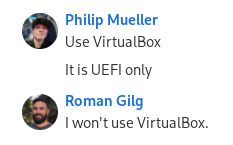
Rigorous discussion by the team on which VM solution to recommend
forum.manjaro.org#p-708289-h-1-run-an-update-41. Run an Update
If you have just installed Manjaro Immutable it should say there are no updates available. If it does update, give the machine a reboot when it completes.
sudo arkdep deploy
forum.manjaro.org#p-708289-h-2-get-package-diff-comparing-two-images-52. Get Package Diff Comparing Two Images
It should print a nice diff on upgraded (Or downgraded), new and removed packages.
If an update is available for the default variant will compare current version to new version
arkdep diff
Compare current version to another image variant
arkdep diff test-manjaro-kde
forum.manjaro.org#p-708289-h-3-switch-to-the-kde-image-63. Switch To The KDE Image
To switch to another image run;
Update: We have since also made test-manjaro-xfce and test-manjaro-cosmic available.
sudo arkdep deploy test-manjaro-kde
Note that after switching it will still default to the GNOME version when updating with sudo arkdep deploy.
To make test-manjaro-kde the default branch for future updates you will have to change repo_default_image in /arkdep/config. If left to test-manjaro-gnome it would download the latest GNOME image when an update becomes available, even if you are currently running the KDE one.
Reboot the system to boot in to the new KDE deployment.
forum.manjaro.org#p-708289-h-4-do-a-rollback-to-the-gnome-deployment-74. Do a Rollback to the GNOME Deployment
Reboot and select the image you wish to boot in the bootloader.
forum.manjaro.org#p-708289-h-5-remove-the-kde-deployment-85. Remove The KDE Deployment
Find the KDE image ID, it will be the first item in the list;
cat /arkdep/tracker
8da5433c34d8633d686c0c6cdc8b0d7d0c77d0d5f7